Tuesday, December 12, 2017
FALLOUT 4 VR TUTORIAL: HOW TO FIX BLURRY IMAGE, LOW RESOLUTION & PERFORMANCE ISSUES
Here's a short tutorial on how you fix the Fallout 4 VR blurry image, low resolution and also gain some better performance while playing in Virtual Reality. In this Fallout 4 VR tutorial video I'm gonna tell you how you get much sharper image, with higher resolution and also better frame-rate without constant re-projection. Fallout 4 VR had a weird issue with blur and low resolution at distance, when the game recently was launched but that has now been addressed by many people online, and here is how you do it! How to fix low resolution in Fallout 4 VR: Go into the installation folder of Fallout 4 VR, and right click on the game executable file (Fallout4VR.exe) and chose Properties. Go into the Compatibility tab, and look up the option called "Override high DPI...". Tick that option and chose "Application". Make sure to click OK afterwards and then start off Fallout 4 VR through Steam again. How to fix blury image in Fallout 4 VR: While in game, go into console (~ key on most keyboards) and type in: "taa off". This will remove the built-in anti-aliasing in Fallout 4 VR and this way make it way more sharper at distance. Make sure you do the DPI step first (described above) to get maximum sharpness and crisp image. Also, if you GPU can handler it, add some super sampling in SteamVR for even better sharpness in Fallout 4 VR. How to fix some better Fallout 4 VR performance, and get rid of most stutters, judders and re-projection almost all the time: First do the 2 fixes above and then in SteamVR settings, disable ALL re-projection options. Turn off Asynchronous re-projection as well as Interleaved re-projection and also the always-on re-projection. This way, the game will gain much better frame-rate overall. It may still stutter at times, but mostly it will be fine. Fallout 4 VR is now available on Steam: http://store.steampowered.com/app/611660/Fallout_4_VR/ Hope this short Fallout 4 VR tweak tutorial video was helpful for you guys. Leave a Like on this video and also subscribe SweViver for much more VR content and Fallout 4 VR gameplays coming up! Take care and enjoy Fallout 4 VR - now sharper than ever! :) Cheers #Fallout4VR #Howto #Fallout4 #VR #VirtualReality #Fallout4VRFix

Subscribe to:
Post Comments (Atom)
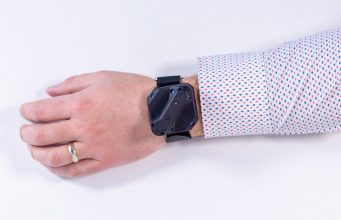
At $600K, Tundra Tracker Smashes Kickstarter Goal in Less Than 24 Hours
Tundra Tracker, the SteamVR Tracking tracker in development by Tundra Labs, has well exceeded its $250,000 Kickstarter goal in less than 2...
-
Please hit that subscribe button it honestly makes my day! Want to buy me a beer? https://streamlabs.com/theukrifter Want to chat VR? - J...
-
In Dreams, you can create your own worlds or play those of others, and there are some INCREDIBLE worlds out there. VR mode was just relea...


No comments:
Post a Comment