Peggy Johnson, Microsoft’s Executive VP of Business Development, is slated to take the reins as the new CEO of Magic Leap, effective August 1st.
This comes nearly a month after co-founder Rony Abovitz announced he would be stepping down as CEO, citing the company’s need for leadership to further commercialize Magic Leap tech for enterprise.
Magic Leap recently pivoted to the enterprise space after seeing lackluster success with its $2,300 AR headset, Magic Leap 1 (previously known as Magic Leap One Developer Edition). A recent $350 million funding round has ensured the company more runway as it no doubt strives to justify its already massive $3 billion funding, which has arrived from sources including Google, Alibaba, Qualcomm, AT&T, Saudi Arabia’s Public Investment Fund, and Axel Springer.
Image courtesy Microsoft
In a company statement, Johnson says she’s vowed to “accelerate Magic Leap’s growth and bring transformative enterprise solutions to market.”
“As CEO, I look forward to strategically building enduring relationships that connect Magic Leap’s game-changing technology and pipeline to the wide-ranging digital needs of enterprises of all sizes and industries,” said Johnson. “It is with great pride and sincere appreciation to the Magic Leap Board, Rony and the entire team, as well as to Satya Nadella at Microsoft, that I assume the role of leading this visionary business into the future.”
Over Johnson’s 24 years at Qualcomm, she held various leadership positions and served as a member of Qualcomm’s Executive Committee. At Microsoft Johnson oversaw strategic partnerships and transactions, as well as strategic investments through Microsoft’s corporate venture fund, M12.
In addition to her duties at Magic Leap, Johnson also serves on the Board of Directors of the global investment management firm BlackRock, Inc.
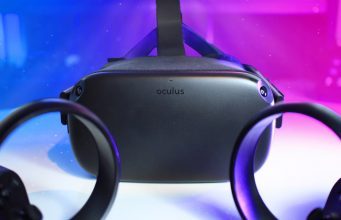
The Oculus Quest has been my daily driver for standalone VR ever since its release. I wanted to share my personal experiences and things that I do to get the most out of the headset. Here are 20 tips & tricks for new users (and maybe even a few for seasoned Questers).
Cas and Chary VR is a YouTube channel hosted by Netherland-based duo Casandra Vuong and Chary Keijzer who have been documenting their VR journeys since 2016. They share a curated selection of their content with extra insights for the Road to VR audience.
1. Comfort
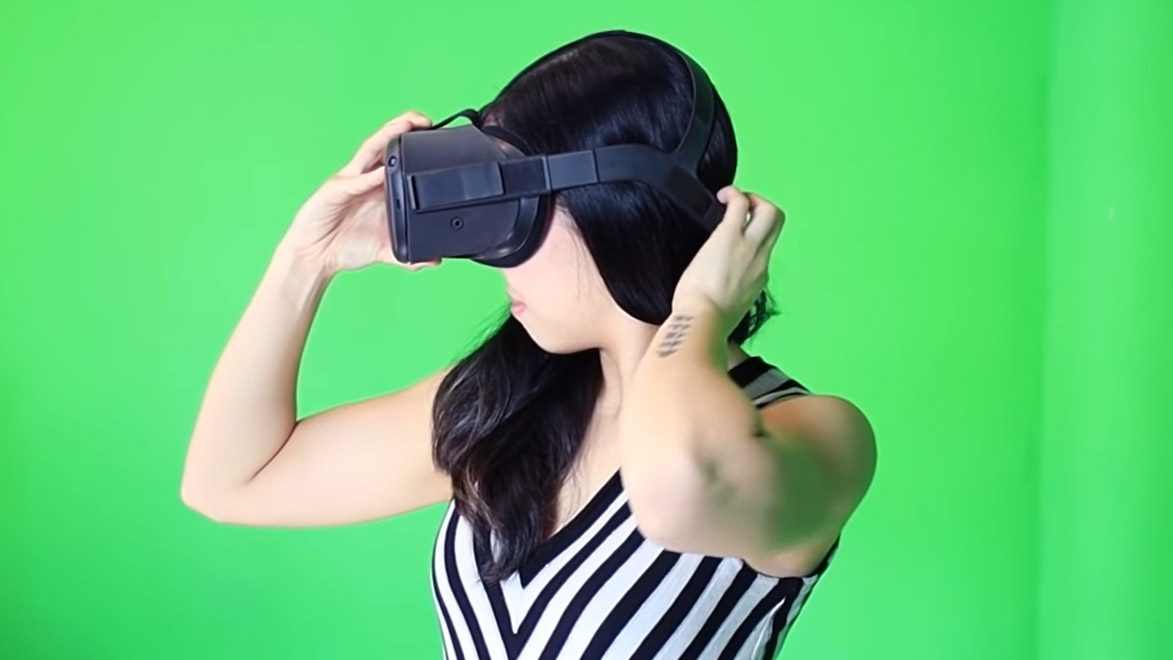
The Oculus Quest can be front heavy for many. It may sound like a no-brainer, but we see people wearing headsets like Quest sub-optimally all the time. Before you research any comfort accessories, let’s make sure you’ve got the right approach to fitting the headset.
This is how I do it: First, loosen the top velcro. Then make sure the back strap is low and cradles the base of your head. Ideally, the headset should be primarily supported by a good on the mound of the back of the head, with the headset’s weight supported by the top strap, so tighten the top strap once you fit that fit on the back of your head.
Only after you’ve done the above should you adjust the side straps while moving the headset up and down until the visuals look clear. If you rely too much on tightening the side straps for a ‘grip like’ fit between your face and the back of your head, you’re in for discomfort. Again, the top strap should be doing most of the lifting, while the side straps should only be as tight as necessary to keep the headset from moving out of place.
2. Comfort Mods & Accessories
If tip #1 doesn’t help, then you can buy comfort accessories or make one yourself. Here are two free DIY comfort comfort mod ideas:
Counterweight: Tape something heavy together like a pair of AA batteries. Then use Velcro or anything else you have laying around to attach it to the back of the headset. A power bank can be a good choice too because it doubles as weight and extra battery for your headset.
Use your hair (if it’s long): Tie your hair in a ponytail and put it through the hole of the headset. Your ponytail will act as a counterweight.
IPD is short for interpupillary distance; this is the distance between the centers of the pupils of your eyes. You can use the IPD slider at the bottom of the headset to move the lenses to match your IPD. If you don’t do this, your visuals will be blurry, and will likely make using the headset less comfortable.
You can use apps on your phone or online to measure your IPD but I prefer easily measuring it with a ruler in front of a mirror. Just align the end of the ruler to one eye, then close that eye and look out the other; the number directly underneath the second eye is your IPD. Ideally this is done with a milimeter ruler, but you can easily convert from inches to milimeters online.
If you wear glasses, your eye doctor will most likely have your exact IPD number. You can request it or go for another eye check.
You can also skip direct measurement and estimate it by just using the slider. Put on the headset and look at something sharp and well defined (like text). Close one eye and look at the text directly through the center of the lens. Move the slider back and forth until you find where the sharpest position is. This should put you in the ballpark of your IPD, but a direct measurement will be more reliable and accurate.
Use the included lanyards in the box and make sure to wear them every time you play to prevent throwing your controllers away when you are fully immersed in a game. You may think you’d never be foolish enough to really throw your controller when throwing something in the game, but natural reflexes and muscle memory can easily override conscious thought, especially when you’re deeply immersed. And you’d be far from the first… even I’ve thrown a controller before!
5. Optimal Tracking
The Oculus Quest tracking should work well out of the box, but if you’re having issues, here’s some things to consider.
Quest looks for clusters of small invisible infrared lights on the ring of the controllers to understand where they are. If you’re having trouble with controller tracking, make sure that your play space doesn’t have any clusters of small lights that might look like the tracking dots to the headset. That could include a mirror (which would reflect the controller’s own tracking lights), a chandelier, or holiday string lights.
The headset also tracks its own position by looking at the room around you. It needs to be able to make out features in the room, which means if it’s too bright or too dark tracking may not work well. As a rough gauge, Oculus says Quest can track well if a room is bright enough to comfortably read a book.
The easiest way to tell how well Quest can see the environment is to turn on the ‘pass-through’ view which shows you what the world looks like through the headset’s eyes. If you turn on the pass-through view and you can easily make out your room, the headset should have plenty of light. In rare cases it’s possible for it to be too bright, but generally that would take a bright sunny day (or a bright sunny way seen through a window). While a single overexposed (blown out) window in your room shouldn’t be an issue, the more visible area the headset can see, the better (so closing your blinds could help).
The tracking system also works better when there’s clear shapes in the room around you. So if you somehow find yourself playing in a room with no furniture, flat lighting, and white walls, you might see tracking issues. The same could happen if you’re a streamer planning to use a green-screen room.
6. Playing in the Dark
If for some reason you really want to be able to play Quest in a dark area, you can use an infrared illuminator to ‘light’ the area with infrared light (which the headset uses to track) while keeping the area dark in the visible spectrum.I haven’t tried this method myself yet, but it seems fun for outside play at night.
7. Playspace
Ok, now you should also figure out your playspace. The recommended space of 2 x 2 meters is good enough for most games, but the bigger the area you have, the better.
If you have only a small area, get a floormat or cut up a yoga mat and put it at the center of your playspace. Tape something like a bottle cap on it so that you can feel where your ‘front’ position is. If you step too far you’ll feel yourself stepping off of the mat and know to move back to the center. We are using a Proximat, which is built with VR users in mind, but it’s a little more expensive.
8. Motion Sickness
Motion sickness is probably the number one cause that scares people away from VR, which is a shame as, from personal experience VR is generally very comfortable, but some games you’ll come across have intense motion that could make you dizzy. If you pay attention to these tips however, you’ll avoid risking motion sickness and you may even become less sensitive to it with practice.
Ease yourself into it. Pay attention to the ‘Comfort Level’ of apps and games as listed on their Oculus store page. Though it might be tempting, don’t start with games like rollercoaster simulators! Just like real-life rollercoasters can cause motion sickness, VR coasters can too. Start simpler and try those later.
Games which have no ‘virtual’ movement will be the most comfortable—the ones where you physically move around your playspace to navigate. Beat Saber, and Superhot VR are among many great Quest games with no virtual movement. There’s a free demo available on the store for both games so you can try before you buy!
Also, don’t push yourself. If you start to feel nauseous or uncomfortable, stop playing for a while. ‘Pushing through it’ doesn’t work; quitting while you’re ahead is always the best choice when it comes to motion sickness.
If you still feel off after taking a break, try drinking ginger tea and get back into the headset only after you feel better again.
9. Use Your Body to Play
So this is a tip that you might forget about once you are used to games that use artificial motion with your joystick. People tend to forget to use their real-life bodies when in VR even though their playspace is big enough for them to move around.
For example, sometimes you are standing near a virtual table, but not quite close enough to reach an item on it. Your first instinct might be just to use your joystick to get closer, but don’t forget that you can simply take a step forward in the real world to get closer. The same goes for ducking and crouching. It’s much more fun to crouch for real than with a button. Moving ‘for real’ helps prevent motion sickness too (and makes games more immersive).
10. Controller Grip
When you play a movement-intensive game like Beat Saber you might notice the battery covers of your controllers occasionally sliding off depending upon how you grip. Some people find that very annoying, so if you want to get rid of that, a little bit of tape can help. Or you can get one of the Mamut Grip accessories.
11. Settings
Oculus Quest has gotten many updates since launch. Significant updates, for example, added support for hand-tracking and Oculus Link. Improvements keep coming, so it’s worth it to check what’s changed every so often.
Check your software version by going to ‘Settings’ and then ‘About’; you may even have an update available that you haven’t gotten yet. Then you can scroll through the settings and check if there’s something that you would find handy. Also check the ‘Experimental’ section of the settings for a look at some early test features.
12. Oculus Store & Game Tips
The Oculus Store has sales every so often on games too. If you’re sure you are buying a Quest, then it might be worth it to check the offers even before you got your Quest.
If you’ve ever bought any games for Oculus PC, then it is also worth it to check the Oculus Cross-buy Apps list. These are games you only need to buy once and will be available on both PC and Quest.
It’s probably also good to know that the Oculus Store has an excellent refund policy. If you find a game isn’t for you, you can refund it if you played for less than two hours and make the request within 14 days. You can initiate your request through your purchase history page.
Like other headsets, the Valve Index has been in high demand but limited supply due to the Coronavirus pandemic. While we’ve seen stock of Oculus Quest and Rift starting to return over the two months or so, Index has been backordered globally. Though the headset is still backordered, today we spotted the first indication that Valve is starting to catch up.
Updated – July 6th, 2020
We checked stock availability for all Index packages across all 31 regions where sold. While previous checks over the last several months consistently showed a shipping estimate of “8 weeks or more,” our latest check shows an estimate of “3 to 5 weeks” for new orders of the headset-only package.
“We are continuing to make every effort possible to keep up with the ongoing demand and deliver units in a timely fashion, while navigating the challenges of shipping during the pandemic. We appreciate everyone’s patience, and we’ll let you know when we have more specifics to share,” a Valve spokesperson recently told Road to VR.
Index had been backordered by eight weeks or more in all regions since a small supply of new stock was gobbled up just before Half-Life: Alyx launched in late March. Today is the first time we’ve seen the shipping estimates on the headset package shift to something other than “8 or more weeks.”
Valve is then sending out notifications by email when stock is available, giving customers one week to pull the trigger. Even so, when offered the option to buy, no specific estimate for delivery is provided leaving, customers wondering how long they’ll be waiting.
Like other headsets, the Chinese-manufactured Index has seen a double-whammy due to the Coronavirus pandemic: supply decreasing due to manufacturing disruptions and demand increasing due to shelter-in-place orders in many parts of the globe.
Oculus had been in the same boat; in the last two months however we’ve seen a surge of new Quest stock, showing that manufacturing of the headset has picked up significant steam. When the same might happen for Index isn’t clear, but we’ve got our eye on the situation.
The Under Presents is hosting a limited time immersive theater show to Oculus Quest and Rift-owning audiences soon that takes William Shakespeare’s play The Tempest and puts you into the story like never before.
The Under Presents is a different kind of VR experience altogether. In the base version of the game you explore the world by recursively spawning and sort of being your own AI throughout the narrative. Live actors also pop in every so often to puppeteer characters though, leaving you unsure of where the game fits on the real-to-virtual continuum. You truly have to experience it to understand it, but a much more lengthy explanation may help you grok where this unique flight-of-fancy is coming from.
Image courtesy Tender Claws
Now, developers Tender Claws have announced a new interactive experience starting on July 9th that explores a different set of social gameplay elements, all the while set to the backdrop of a retelling of The Tempest, Shakespeare’s 17th century tale of a Duke Prospero of Milan and his banishment by King Alonso of Naples. It’s a story of magic, love, redemption, loss, retrieval, exile and reunion—normally told on-stage and in full iambic pentameter.
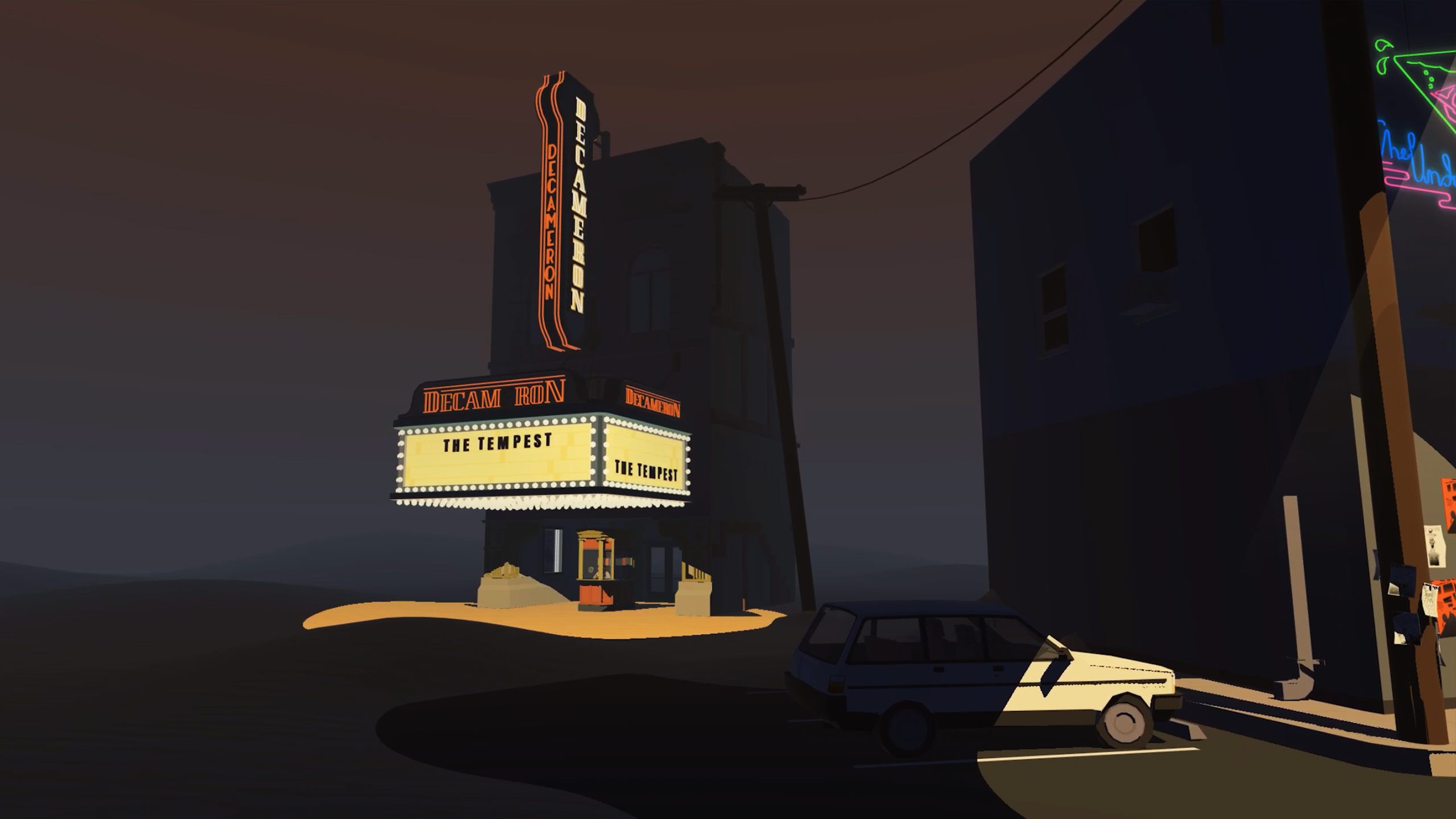
The Under Presents: Tempest is however a group activity of sorts. You pay $15 for your ticket, show up at the the cinema lobby at your appointed time, and begin the show with an assortment of between six to eight participants.
Image captured by Road to VR
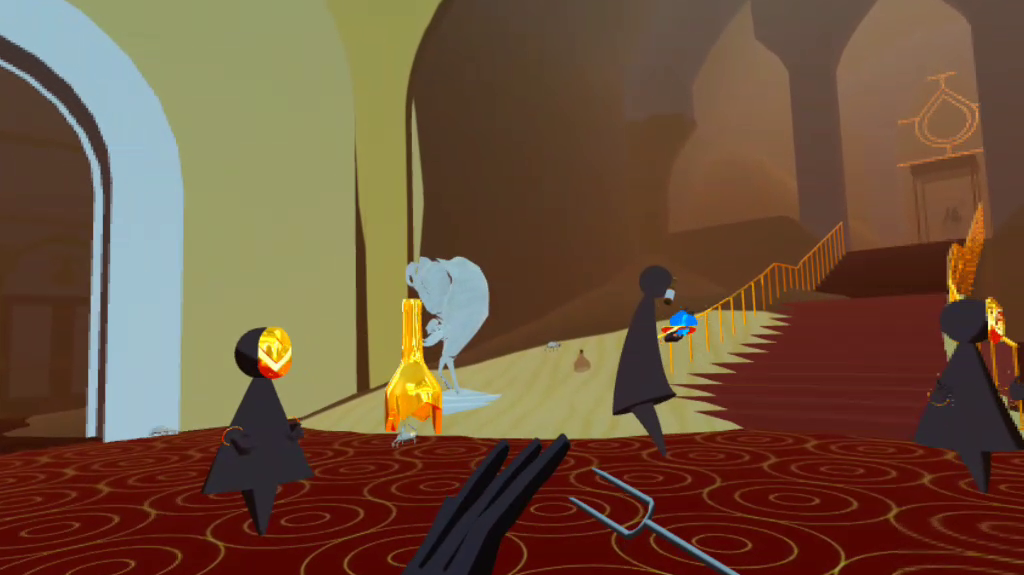
Walking around the lobby and waiting for the show to start, one person showed me how to conjure a magical onion by pulling the mask from my face, and snapping my fingers in succession. Another showed me how to see an alternate universe by picking up a glass jug and looking through it. These were mostly toys for the sake of fun distraction, but the cinema lobby, which was flooded with errant sand dunes, also set the tone of the evening . We would all need to express ourselves physically to communicate since we were muted.
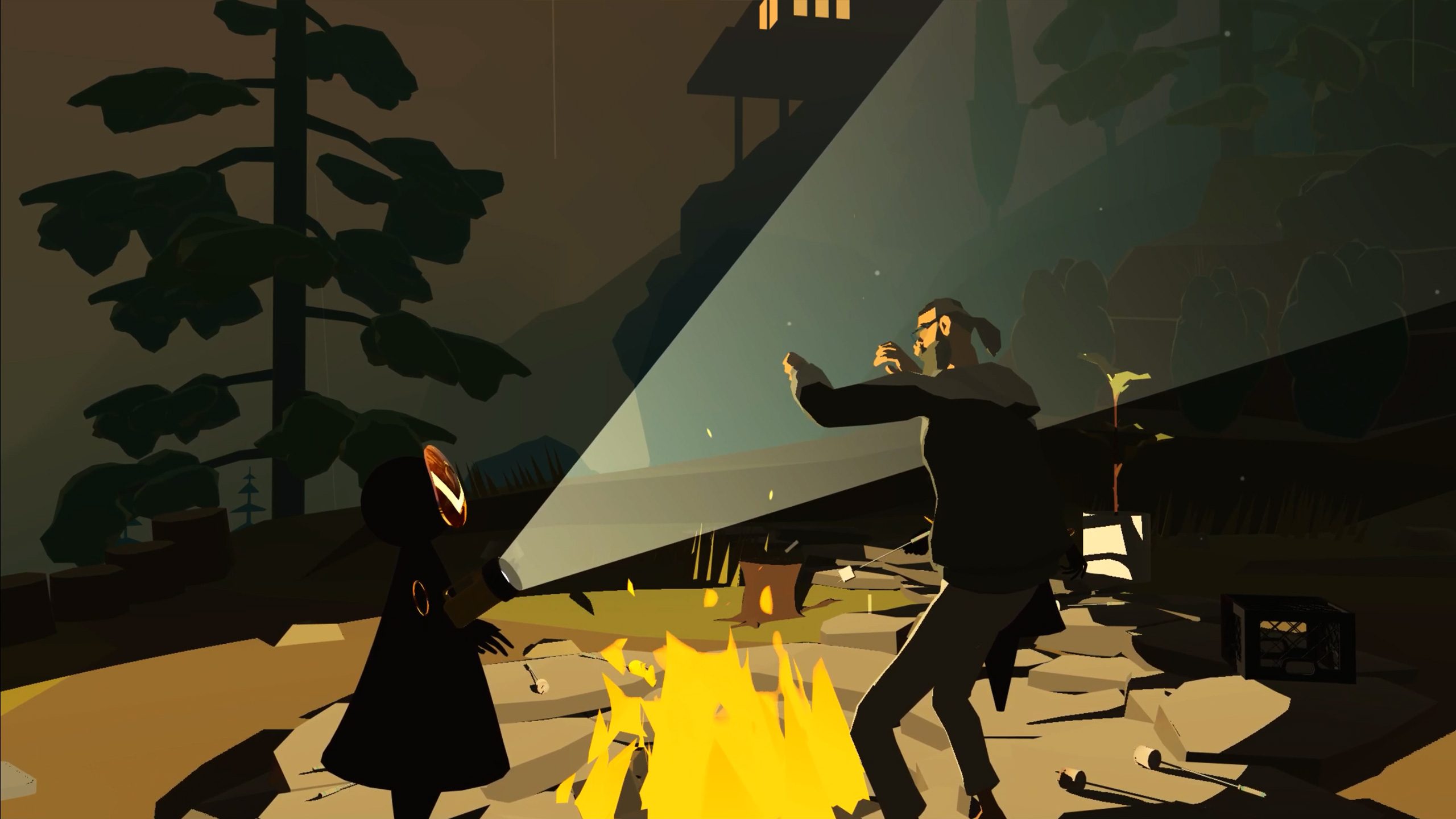
Once the show begins, you’re transported to a campfire where you meet a live actor, who in the show’s meta-narrative was due to play Prospero in a proper stage show. Of course, the ever-so-topical lockdown put an end to the live performance, and you end up joining their imagination as a spirit of what things could have been.
Image courtesy Tender Claws
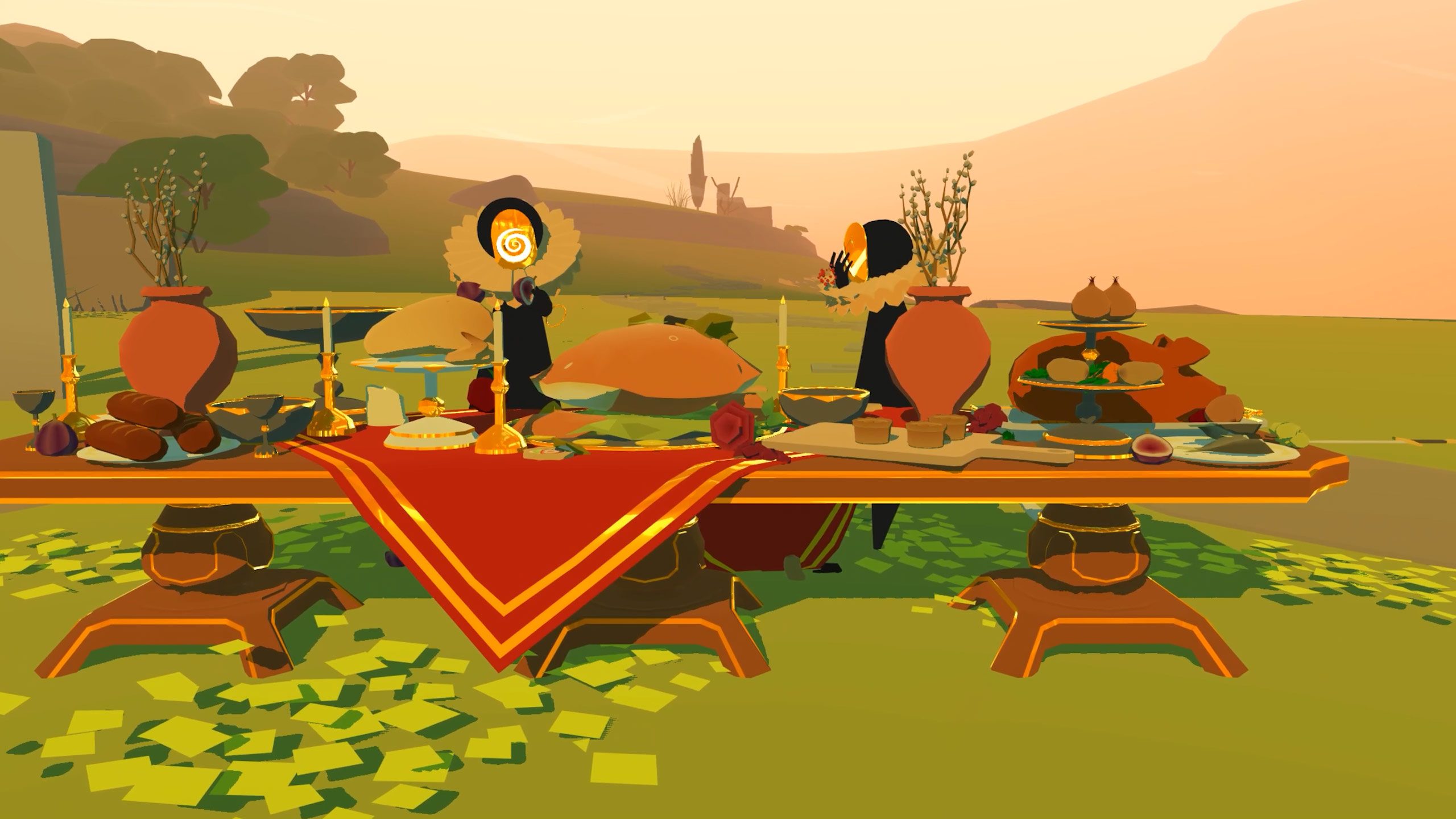
In the show, you’re run through interesting, dreamlike set pieces, and made to act out parts in the story, all of which are voiced-over by your guide.
To make things even more immersive, costume accessories are summoned to your expressionless avatars. I played Prospero’s daughter, Miranda, who falls in love with Ferdinand (17th century spoiler alert), the son of King Alonso. I got married in VR, but don’t tell my wife that.
Image courtesy Tender Claws
All of it reminded me of a high school drama class exercise, of course setting aside the fact that we were all spirits doing magic, and teleporting throughout discrete parts of the tale, lovingly rendered in a smart, low-poly art style.
All the while our guide would play bigger parts and lead us through the action, and control the environments without a hitch. Our guide, Kelley Pierre, was affable and kept everyone involved as she slipped in and out of characters with apparent ease.
And you may be asking: is it worth the entry price? Each performance lasts about 40 minutes, and is priced at $15. I think if you’re looking for something novel, professionally produced, and are the sort of person who likes the idea of going on walking tours, or immersive whodunits, you’ll really enjoy The Under Presents: Tempest.
– – — – –
Paid performances will run from 4:00 PM to 8:00 PM PT on weekdays and 11:00 AM to 3:00 PM PT on weekends, with showtimes beginning on the hour. Tickets will be available in advance as in-app purchases for $15. Shows run from July 9th to the end of September.
The Steam version of the game isn’t supporting The Tempest, as it’s exclusive to the Oculus platform, available only on Oculus Quest and Oculus Rift.
According to the studio behind L.A. Noire: The V.R. Case Files (2017), Rockstar Games is producing a new game which promises to be a “AAA open world title in VR”.
Video Games Deluxe, a Sydney, Australia-based studio working exclusively with Rockstar, released word via LinkedIn recently, stating that the company is currently hiring staff to build the VR game.
“Having finished the critically well received L.A. Noire: The V.R. Case Files we are now gearing up for a new project, a AAA open world title in VR for Rockstar. 2020 marks our 7th year of working exclusively for Rockstar in Sydney and we are excited to taking on this ground breaking project,” the studio writes.
Video Games Deluxe worked on both the PC VR version of L.A. Noire: The V.R. Case Files and the PSVR version, which arrived on PS4 late last year.
By the sounds of it, the small studio will be expanding by a fair bit too, as it’s currently hiring for Senior Programmers, Engine Programmer, a Designer and Animator.
It’s difficult to estimate the scope of the project from just this information alone; Video Games Deluxe may be handling only a portion of the game’s development.
Whether it’s a completely new IP or a continuation of the GTA series also remains to be seen. The dedicated VR studio cut its virtual teeth on adapting the non-VR version of L.A. Noire (2011) to the medium, so it’s also possible we could be seeing a VR-adapted re-release of an extant Rockstar title such as GTA V (2013) or Red Dead Redemption.
This video is sponsored by Oculus. Time to get into the stealth action game Phantom Covert Ops! This is a VR game we've been looking forward to as we've tried it before and enjoyed it in the past. ► Click here for more info about the Oculus Quest → https://ocul.us/CasandCharyPhantom In Phantom Covert Ops, you are an elite covert operative with one night to prevent all-out war. In a tactical kayak, you use military weapons and equipment to sneak in an enemy's base. Go in lethally or infiltrate unnoticed? It'll be up to you. We are thrilled to partner up with Oculus today to share our first impressions of the game on the Oculus Quest. Today's topic(s): Phantom Covert Ops on Oculus Quest LINKS ► More info about the Oculus Quest → https://ocul.us/CasandCharyPhantom ► More info on Phantom Covert Ops on Quest → https://www.oculus.com/experiences/quest/2302118823192509/ SCHEDULE - Every Friday at: 🕛 12 PM PT 🕘 9 PM CET 🕗 8 PM UK Time 🍿 Watch us from within Bigscreen VR too! SUPPORT US Subscribing and watching our videos (for free) is by far the biggest support you can give us. However, if you want to do more - you can also donate. All donations go to improving the channel. BUY US A COFFEE & BOOST THE CHANNEL ► One-time donation → http://bit.ly/DonateCasandChary BECOME A CHAMPION (LONG-TIME SUPPORTER) ► Become our Patron (includes exclusive rewards) → http://bit.ly/PatreonCasandChary ► Become a Sponsor on YouTube (includes exclusive rewards) → http://bit.ly/JoinCasandChary USE OUR LINKS TO SUPPORT US ► VRcover → http://bit.ly/CCVRCover ► VR Prescription Lens Adapters (5% discount code: "CAS&CHARY") → http://bit.ly/CCWidmoVR ► Play PC VR games with your Quest (10% discount code: "JWGTCASCHARY") → http://bit.ly/CCRiftcat ► More on our website → https://casandchary.com/discount-codes-affiliate-links/ OUR GEAR Our VR equipment → https://www.amazon.com/shop/caschary Full PC Specs → https://casandchary.com/vr-equipment/ GET LATEST UPDATES Twitter → https://twitter.com/CasandChary Facebook → https://www.facebook.com/casandchary/ Instagram → https://www.instagram.com/casandchary/ Join our Discord → https://discord.gg/YH52W2k A special thanks to these Patreon Champs for their support: - BaxornVR: https://www.youtube.com/channel/UC1tmq8Y3jC7gNGvW7asmv1Q - Wintceas - Studioform VR - Andy - Albert - Ben P. - Steve Dunlap - Thomas M. Rice - Andy Fidel - VR Balance MUSIC Music we use is from Epidemic Sounds → http://share.epidemicsound.com/zqM3g DISCLAIMER This live stream is sponsored by Oculus. Links in this description may contain affiliate links. We may earn from qualifying purchases from these links (without costing you more). VR on! - Cas and Chary VR #oculuspartner #phantomcovertops #casandchary
Neat Corporation, the team behind Budget Cuts (2018), originally wanted to bring its VR stealth adventure to PSVR back in May. After a delay due to the global slowdown, which pushed that date to July 10th, the studio is again marking a definitive launch date in stone: September 25th.
Update (July 3rd, 2020): Neat Corp has released a PS blogpost outlining its new September 25th release date. Ostensibly as a form of recompense, the studio has also built a new PSVR-exclusive level called ‘Panopticon’.
Update (May 7th, 2020): Neat Corp has announced in a recent tweet that Budget Cuts for PSVR won’t be launching in May 2020 as previously planned. The delay, which is due to the global slowdown, is pushing the release to July 10th. We’re glad to hear that the team is taking the extra time to nail it down, and continue on with their work in these uncertain times.
Update (March 23rd. 2020): – Neat Corporation, Coatsink, and Perp Games today announced that the original Budget Cuts will be coming to PSVR on May 15th with a simultaneous digital and physical release. There’s still no word on whether a Quest version is still in the mix.
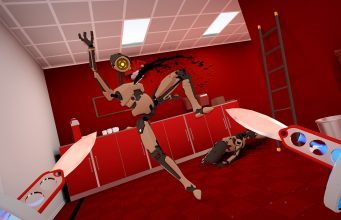
Original article (January 20th, 2019): Budget Cuts puts you in the hum-drum world of an endless office complex. Just as you’re about to die of boredom, a fax comes through that warns you of impending doom. All of the humans in the office have been mysteriously replaced by worker drones, and it’s your job to get past the deadly security bots with only throwing knives and your trusty portal-style teleportation gun to figure out what happened.
While we genuinely liked the game, unfortunately it was plagued with performance issues early on which actually forced the team to reschedule launch well after reviews were already out in a bid to smooth over some of the game-breaking bugs that made their way to some reviewers.
That said, Neat Corp has plenty to do to get the physics-based stealth game in shape for the decreased graphical and CPU power of the PS4. Another hurdle to jump over will invariably be the PS Camera’s smaller, front-facing tracking volume that will no doubt require users to make heavy use of snap-turning locomotion in addition to the game’s native teleportation scheme.
Whatever the case may be, we’re hoping it does well enough to bring the game to Oculus Quest, because it’s clear a virtually unlimited tracking volume would be an insane addition to a game that gets you dodging, ducking, and cowering under virtual desks for your life.